Write, Narrate & Animate Slides with AI
Generate presenter notes, natural-sounding voice narration, and GIF/video storyboards without leaving Google Slides. Works for single slides or entire decks and exports anywhere.
✨ Try the free plan to create notes and preview AI voice output
Powerful Slides AI Studio Features
Discover how Slides AI Studio can enhance your presentation preparation workflow.
Smart Content Analysis
AI deeply analyzes slide content, understands narrative arcs, key points, and pacing cues.
Presenter-Ready Scripts
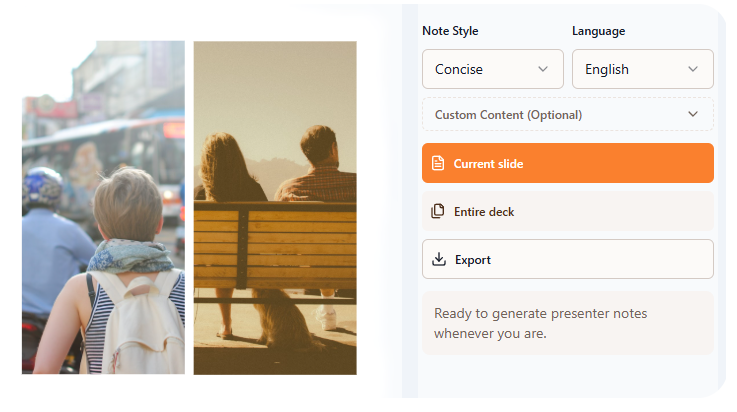
Generate smooth, professional presenter notes enriched with voice and timing suggestions.
AI Voice Narration Studio
Preview voices, auto-generate narration per slide, and export WAV or MP3 packages.
Video & GIF Composer
Turn slides plus narration into MP4 videos, GIFs, or image sequences with adjustable timing.
Flexible Export Options
Send notes to Google Docs/Drive, download TXT, audio, or ready-to-share video files.
Google Slides Integration
Use directly inside the Google Slides add-on or the responsive web app—no context switching.
Frequently Asked Questions
Find answers to common questions about Slides AI Studio.
What is Slides AI Studio?
Slides AI Studio is an AI-first workspace embedded in Google Slides that generates presenter notes, natural voice narration, and GIF/video storyboards from your deck. It analyzes each slide and outputs coherent scripts plus ready-to-export media assets.
What types of presentations can Slides AI Studio handle?
It supports business presentations, academic reports, webinars, courseware, product demos, and any deck that needs speaker notes or media outputs. The tool adapts tone and pacing, then prepares narration and motion assets that match your storyline.
Can I generate notes for an entire presentation?
Yes. One click generates consistent notes, voice narration, and timing suggestions for the entire deck. The AI keeps transitions smooth so the final script, audio, and video exports stay in sync from slide 1 to the final CTA.
What export formats are supported?
Export presenter notes to Google Docs or Drive, download TXT files, merge narration as WAV or MP3, and render MP4 videos, animated GIFs, or image sequences. All exports can be triggered directly from the add-on or the web app.
Is my presentation content secure?
Absolutely. Slides AI Studio uses SSL encryption for every upload/export and follows strict privacy policies. Slide data, generated audio, and rendered media are automatically purged after 24 hours to keep your projects private.
Can generated notes be used for commercial presentations?
Yes, you own the rights to use content generated by aitoolgo Slides AI Studio. You can use them for both personal and commercial presentations, making it a perfect choice for professionals and businesses.